In this article
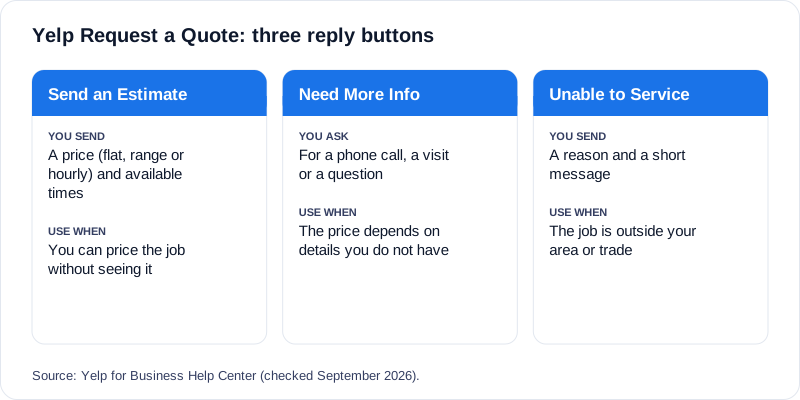
A Yelp Request a Quote is a message from a Yelp user asking a business for a quote, and Yelp gives the business three ways to answer it: send an estimate and availability, ask for more information (including a phone call or a visit), or mark the request as something it is unable to service. Yelp says these three buttons appear under every quote request and cannot be turned off or customized. This is how Yelp describes the flow in its Business Help Center, as of September 2026.
Knowing which button to press, and where you can press it from, is most of the job. The rest is speed: Yelp shows your response time and response rate publicly, and a Request a Quote can be sitting with other businesses at the same time. This guide walks through the flow and where an auto-responder for Yelp fits.
The three replies, and when to use each
- Send an Estimate and Availability. You send a price estimate to the user, either as a flat rate, a range or an hourly rate, together with your available times and a personalized message. Use it when the request describes a job you can price without seeing it.
- Need More Information. You can request a phone call, request a visit, or ask a question by message. Use it when the price depends on details you cannot know from the request. Note that a phone call and a visit are built into the button, which matches how most home-service jobs actually get sorted out: by talking, or by looking at the job.
- Unable to Service. You choose from a list of reasons and add a message so the user knows why you cannot help. Use it for jobs outside your area or trade, so the customer is not left waiting.
A practical rule: when in doubt, choose Need More Information and ask for a phone call. A short exchange followed by a call usually moves faster than a long written thread, and no software knows every detail of your business.
Where you can reply
- The Yelp for Business app. Yelp calls this the best way to respond. Open Inbox, tap the request, choose one of the three options, add your availability and a message, and send.
- The Yelp for Business website (biz.yelp.com). Same steps, from the Inbox section.
- Email. When you get an email notification of a quote request you can reply directly to the email, but only to the initial request. If the user answers, you get an email, and to continue the conversation you have to go to your Inbox or the app.
Notifications: what Yelp sends and to whom
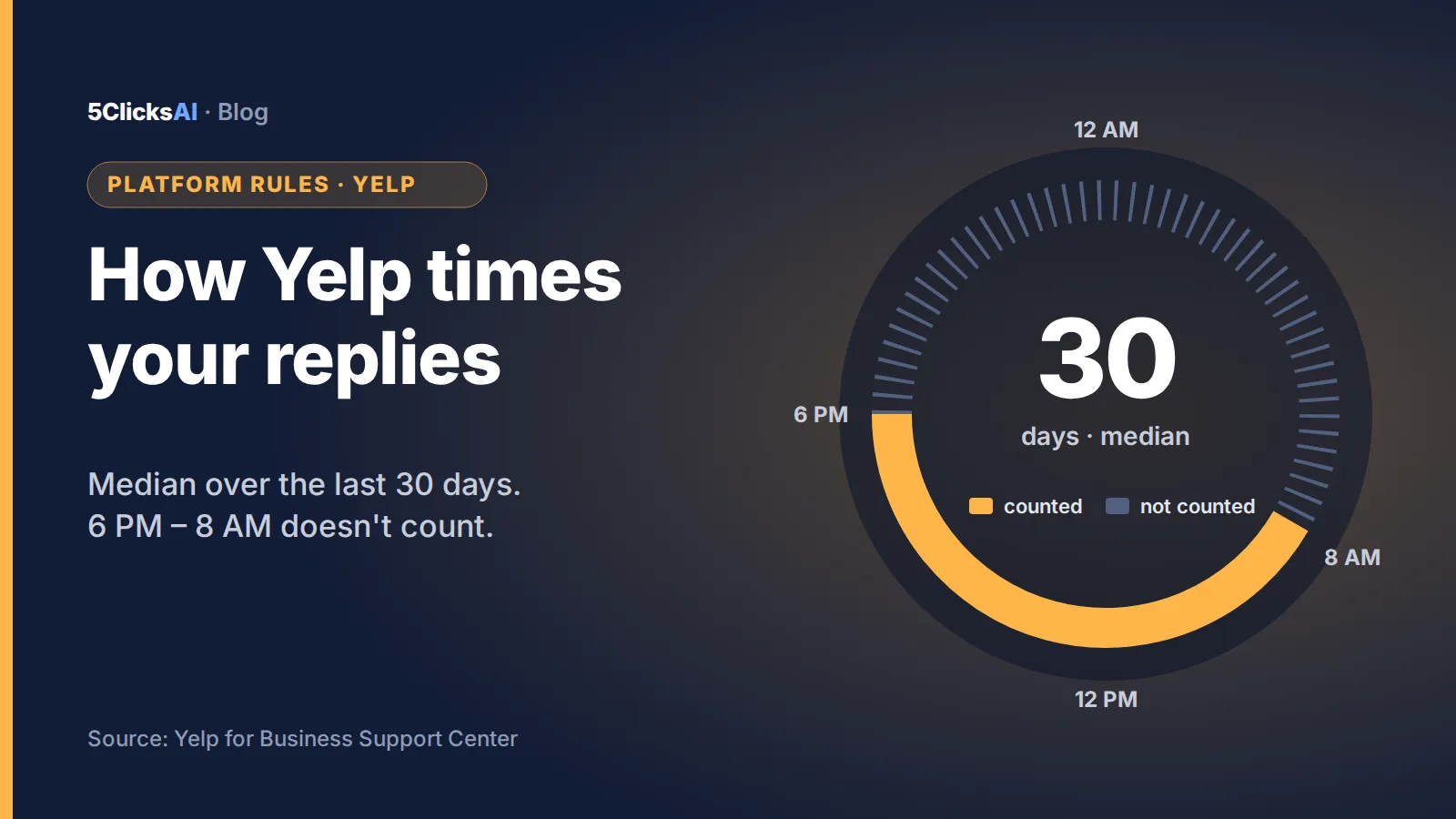
Yelp says to enable both email and push notifications so you can keep a favorable response rate and response time. If your business has several Yelp for Business accounts, the initial notification for a quote request goes to all accounts registered under the business page, but later notifications go only to the accounts that replied to that request. In practice this means that when one person replies, the rest of the team stops hearing about that conversation. How fast you reply is then measured as described in how Yelp calculates response time.
The 7-day rule
Yelp states that if you do not reply within 7 days of receiving a new message and have not replied to any message in 30 days, messaging is automatically disabled. To re-enable it, you have to locate the unread messages and mark them as replied. This is easy to hit if a business goes quiet for a month, for example over a season change, so it is worth knowing before you go on holiday.
Who else sees the request
Request a Quote is not a private conversation. When Yelp launched the feature, it described a tool that lets a customer send the same request to up to 10 similar businesses, and it highlighted the fastest responders in green. That launch post is dated, so treat the number as how the feature was introduced rather than a current limit, but the direction holds: the customer is comparing, and the first useful reply gets the conversation.
Where an auto-responder fits
The moment that matters most is the first minutes. 5clicks.ai connects to your own Yelp for Business account, replies to a new Request a Quote as soon as it arrives, works toward a direct phone number, and alerts you by text when the customer is ready to talk. With two-way call initiation on, we call you and connect you with the customer live, so the conversation moves to the phone right away, which is the path Yelp’s own “Need More Information” button points to.
Be clear about the limits:
- It does not send a binding estimate for you or book a slot. It has no access to your calendar, so it never confirms a time.
- It does not change how Yelp ranks your business, and Yelp’s response metrics are calculated by Yelp.
- It does not replace you. It starts the conversation and hands it over.
Frequently asked questions
What are the three ways to reply to a Yelp Request a Quote?
Send an Estimate and Availability, Need More Information (a phone call, a visit or a question), or Unable to Service. Yelp says these buttons cannot be turned off or customized.
Can I reply to a Yelp quote request by email?
Yes, but only to the initial request. After the customer answers you have to continue in the Yelp for Business Inbox or app.
What happens if I do not reply to a Yelp quote request?
If you do not reply within 7 days of a new message and have not replied to any message in 30 days, Yelp automatically disables messaging until you mark the unread messages as replied.
Who gets the notification if my business has several Yelp accounts?
The initial notification goes to all accounts registered under the business page. Later notifications go only to accounts that replied to that request.
Should I send a price or ask for a call?
If you can price the job from the description, send the estimate. If the price depends on details you cannot see, use Need More Information and ask for a phone call or a visit.
People also ask
- How do I respond to a Yelp Request a Quote? From the Yelp for Business app, the website Inbox or by email, using one of three buttons.
- Can I customize the Yelp quote reply buttons? No, Yelp says they cannot be turned off or customized.
- Why is Yelp messaging disabled for my business? Because there was no reply within 7 days of a new message and no reply to any message in 30 days.
- Do I need push notifications for Yelp requests? Yelp says to enable email and push notifications.
- Can an auto-responder answer Yelp quote requests? Tools like 5clicks.ai reply through your connected account; check Yelp’s current terms for your account.
Sources
- Yelp for Business Help Center: How do I respond to a quote request for my business? (checked September 2026)
- Yelp Official Blog: Need a Quote? Get One Faster Than Ever
Reply to your next quote request in seconds
Built by a marketing agency that’s run Yelp and Thumbtack for 5+ years. 5clicks.ai answers new Yelp quote requests day and night and connects you with the customer.
Connect Yelp and watch it work on real requests →
Part of our guide: Yelp auto-responder for home-service businesses